
Use your own template
This makes the biggest difference. Upload a past note with patient identifiers removed, or paste your template. You check how each section was read, then make it your default. Your next notes follow it.
- Open Templates. Choose Templates in the menu, or Edit your template on a visit.
- Upload a note. Follow the steps to upload or paste it.
- Check and save. Review each section, then make it your default.
Fix this one note
On the visit, the panel on the right says Something off?.
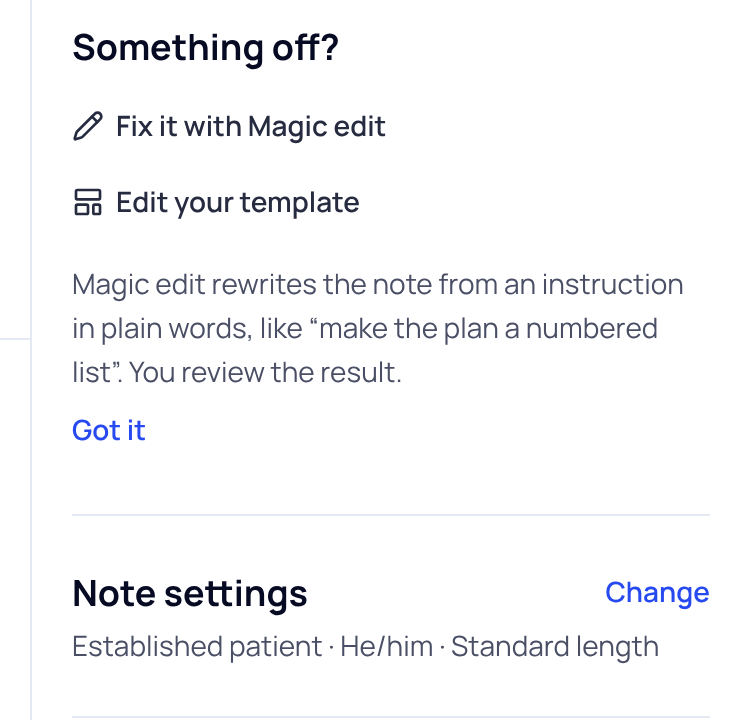
- Fix it with Magic edit: write what you want in plain words, like “make the plan a numbered list”. You review the result.
- Note settings: press Change to pick the note length (Concise, Standard or Detailed), the visit type or the patient’s pronouns, then press Rewrite note.
- Type straight into the note. Each section is an open box. Changes save as you type.
Your template, length and preferences shape new notes. Old notes stay as they are unless you rewrite them.
Did this answer your question?
Still need help?
Email support@soapsuds.io or send us a message. Please don't include patient names or details; the visit date and time is enough for us to find it.

