
The three lengths
Every length keeps the clinical details that matter. The length changes how much is written around them.
| Length | What it does |
|---|---|
| Concise | Short wording, with the Subjective as a bullet list. Suits clinicians who review 10 or more notes a day, such as in primary care. |
| Standard | Standard wording, with the Subjective as a narrative. Suits clinicians who want more narrative in their notes, such as in geriatrics. |
| Detailed | Fuller wording, with the Subjective as a narrative. Suits clinicians with fewer, longer visits, such as in mental health. |
For all new notes
- Open Settings. Go to Settings›Note preferences. On a phone the tab is called Notes.
- Pick a Note length. It saves straight away. A message says “New notes will be” the length you chose.
Notes you already have don’t change.
For one note
- Open the visit. In the side panel, find Note settings and press Change. On a phone or tablet the panel is under the note.
- Pick a Note length. Nothing changes yet. SOAPsuds says what the rewrite will do.
- Press Rewrite note. When it’s done, Review the changes shows what changed. Press Keep changes or Undo these changes.
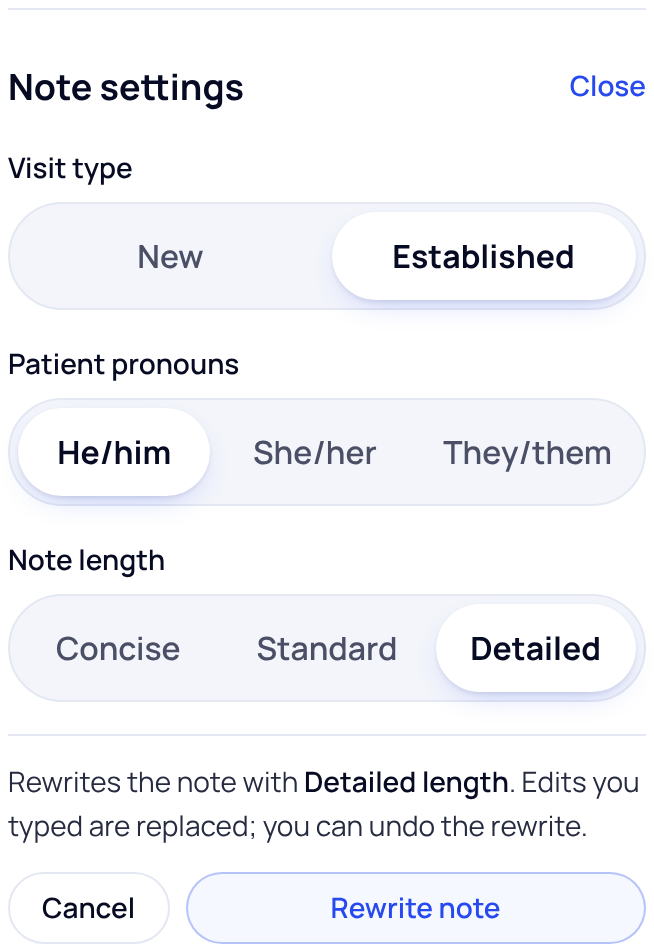
Rewriting replaces edits you typed into the note. You can undo the rewrite, but type your own changes after you rewrite, not before.
Did this answer your question?
Still need help?
Email support@soapsuds.io or send us a message. Please don't include patient names or details; the visit date and time is enough for us to find it.

