
Use Magic edit
- Open the visit. In the side panel, under Something off?, press Fix it with Magic edit. On a phone or tablet the panel is under the note.
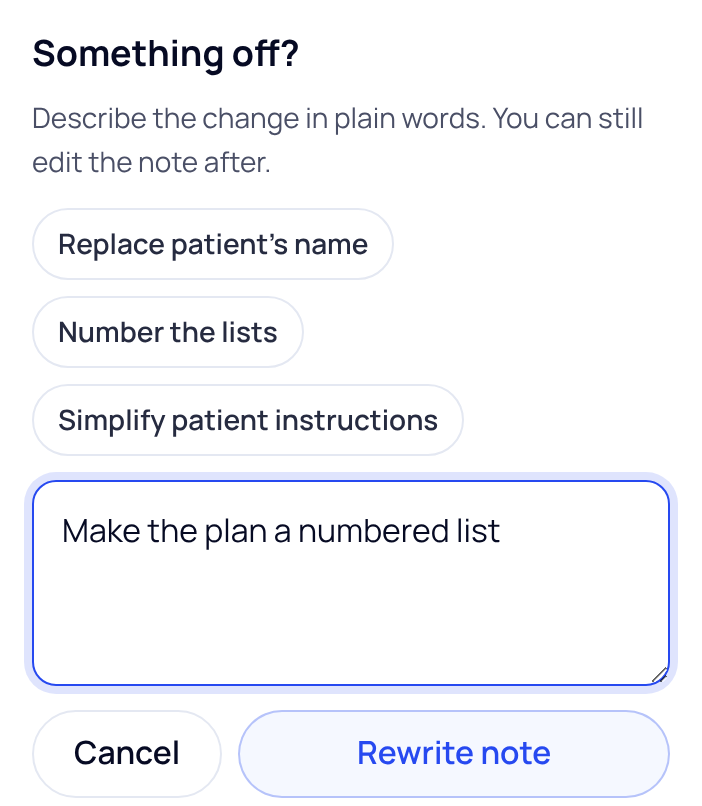
- Say what to change. Type the change in the box, or tap a suggestion: Replace patient’s name, Number the lists or Simplify patient instructions.
- Press Rewrite note. The note shows Rewriting the note…. You can’t type in it until the rewrite is done.
Keep or undo the changes
When the rewrite lands, Review the changes opens above the note. It lists each changed section, with removed words struck through and added words underlined.
- Press Keep changes to keep the new version.
- Press Undo these changes to put the note back as it was.
- Use Show the whole section to read a changed section in full.
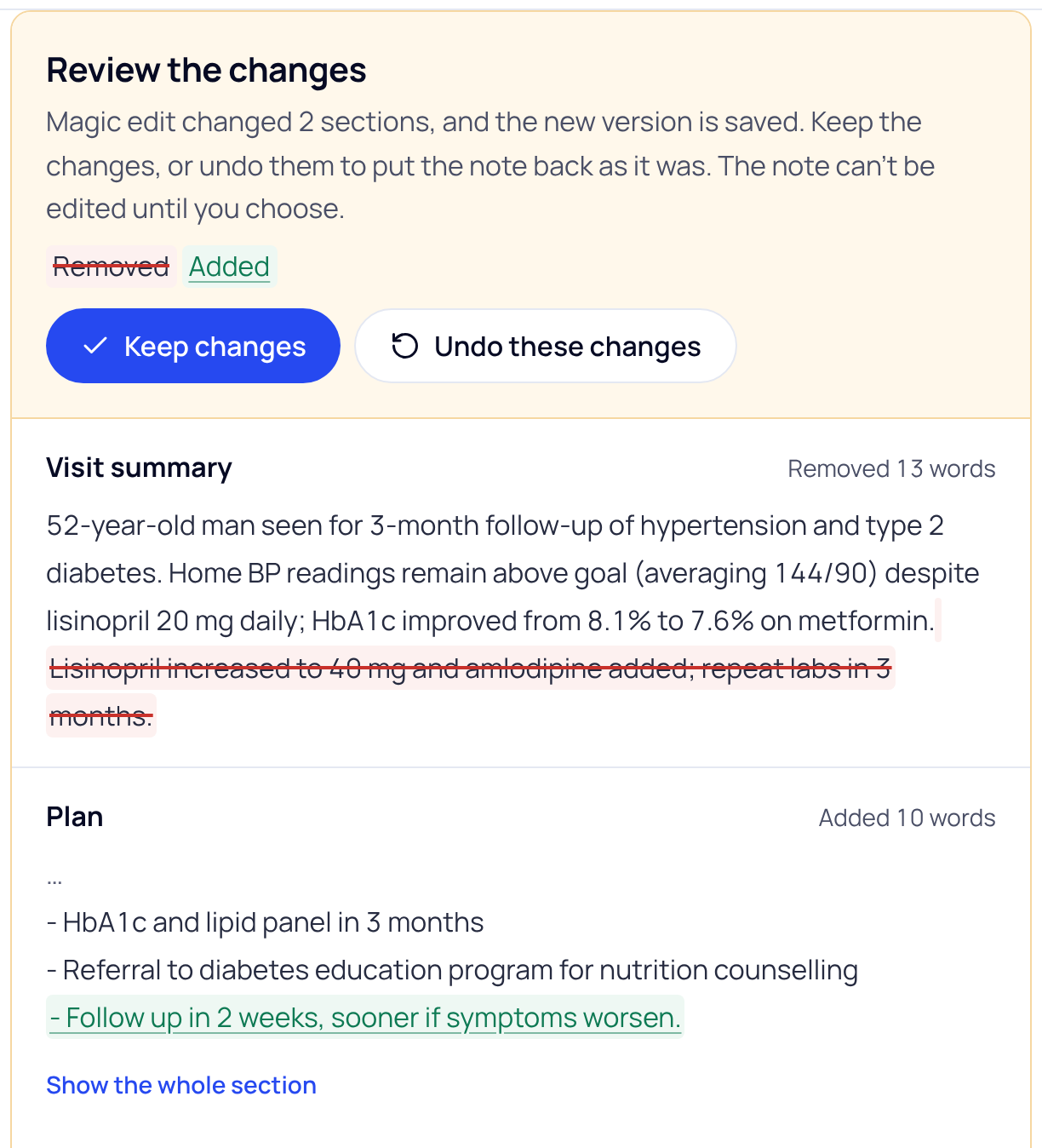
Until you choose, the note can’t be edited, marked reviewed or signed. If Magic edit didn’t change anything, SOAPsuds says so; try a more specific instruction.
Good to know
- Magic edit works on the whole note. For a small fix in one section, it’s quicker to type straight into that section.
- A rewrite puts a reviewed note back to draft, so read it again before you copy it.
- On the Codes tab the same button reads Fix the codes with Magic edit. It changes the suggested codes, not the note.
- Check what Magic edit wrote. It is a draft for your review, like the rest of the note.
If your notes are always off in the same way, change your template instead. Press Edit your template, just under Magic edit.
Did this answer your question?
Still need help?
Email support@soapsuds.io or send us a message. Please don't include patient names or details; the visit date and time is enough for us to find it.

