
You didn’t get the code
- Check your spam or junk folder.
- Make sure you used the email you signed up with.
- Wait for the timer, then choose Send a new code. A new code replaces the old one.
- If it says That code has expired, send a new one.
Wrong password or forgot it
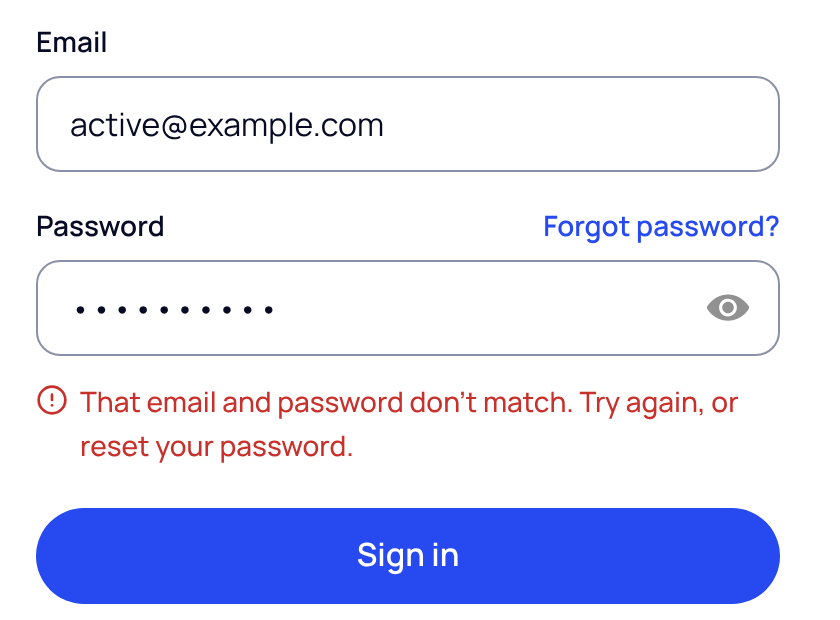
- Choose Forgot password?. It’s above the password box on the sign-in page.
- Enter your email. We send a 6-digit code to it.
- Enter the code and set a new password. Use at least 8 characters, a capital letter, a number and a symbol, and no spaces.
Other messages
| What you see | What to do |
|---|---|
| Verify your email first. | Choose Send me a code and enter the code we email you. |
| Too many tries. | Wait a few minutes, then try again. |
| This account isn’t active. | Contact your practice admin or SOAPsuds support. |
| Finish setting up your account from the invite we emailed you. | Open the invite email. If it has expired, open it anyway and choose Email me a new link. |
| You can’t sign in yet. | Your practice admin has to set up SOAPsuds for your practice first. We’ll email you when you can sign in. |
| We couldn’t sign you in that way | Try Google, Microsoft or Apple again, or use your email and password. |
| We couldn’t sign you in. Check your connection and try again. | Check your internet connection. |
Google, Microsoft or Apple
If you created your account with Continue with Google, Microsoft or Apple, use the same button to sign in. People who joined a practice from an invite sign in with their email and the password they set.
Did this answer your question?
Still need help?
Email support@soapsuds.io or send us a message. Please don't include patient names or details; the visit date and time is enough for us to find it.

