
Remove a clinician
- Open Team. Find the person in the list. You can search by name or email.
- Open their menu. Choose the three dots (…) at the end of their row.
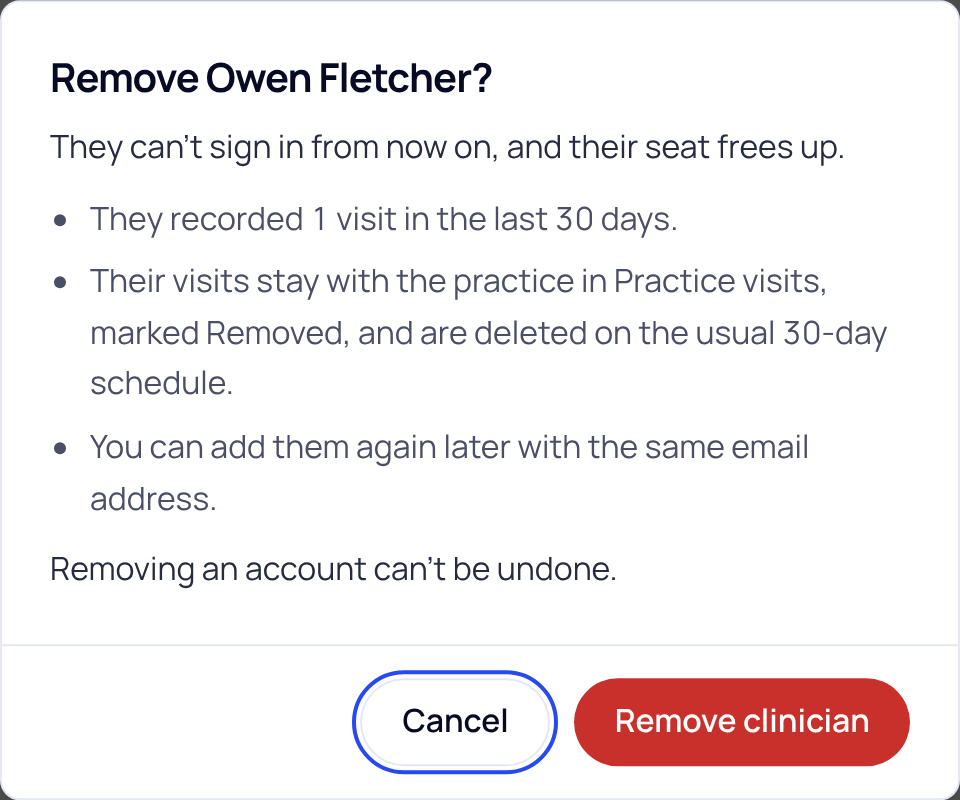
- Choose Remove clinician. A box tells you what will happen.
- Choose Remove clinician again to confirm. Choose Cancel if you change your mind.
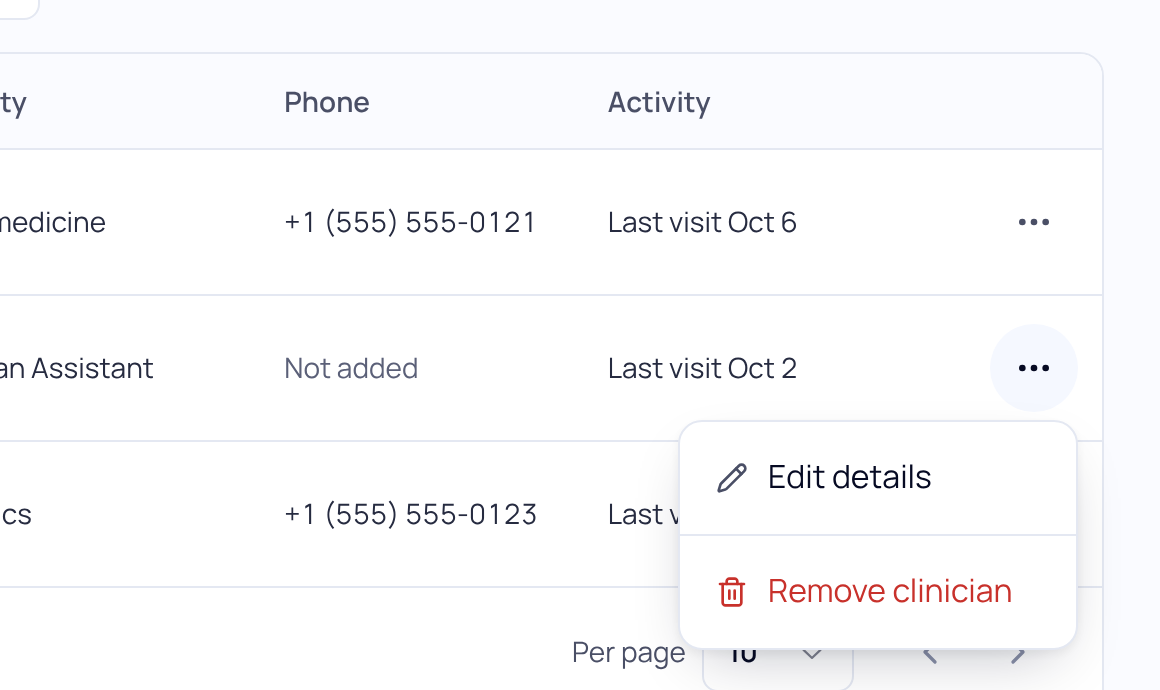
To remove several people at once, tick the box next to each name and choose Remove.
What happens next
- They can't sign in to SOAPsuds from now on.
- If your practice pays for seats, their seat frees up for someone else.
- Their visits stay with the practice in Practice visits, marked Removed. They are deleted on the usual schedule, 30 days after each visit.
- You can add them again later with the same email address.
Removing an account can't be undone. Make sure their notes are in your EHR before the visits are deleted.
Other cases
They never set up their account. The menu says Cancel invite instead. Their link stops working and they come off Team.
Office staff. In the Office staff section of Team, choose Remove on their row. Their referrals become unassigned.
The practice admin is leaving. To hand the practice to someone else, email support@soapsuds.io.
Did this answer your question?
Still need help?
Email support@soapsuds.io or send us a message. Please don't include patient names or details; the visit date and time is enough for us to find it.

