
Send an invite
- Open Team. Choose Team in the menu on the left.
- Choose Add clinician. The button is at the top right of the page.
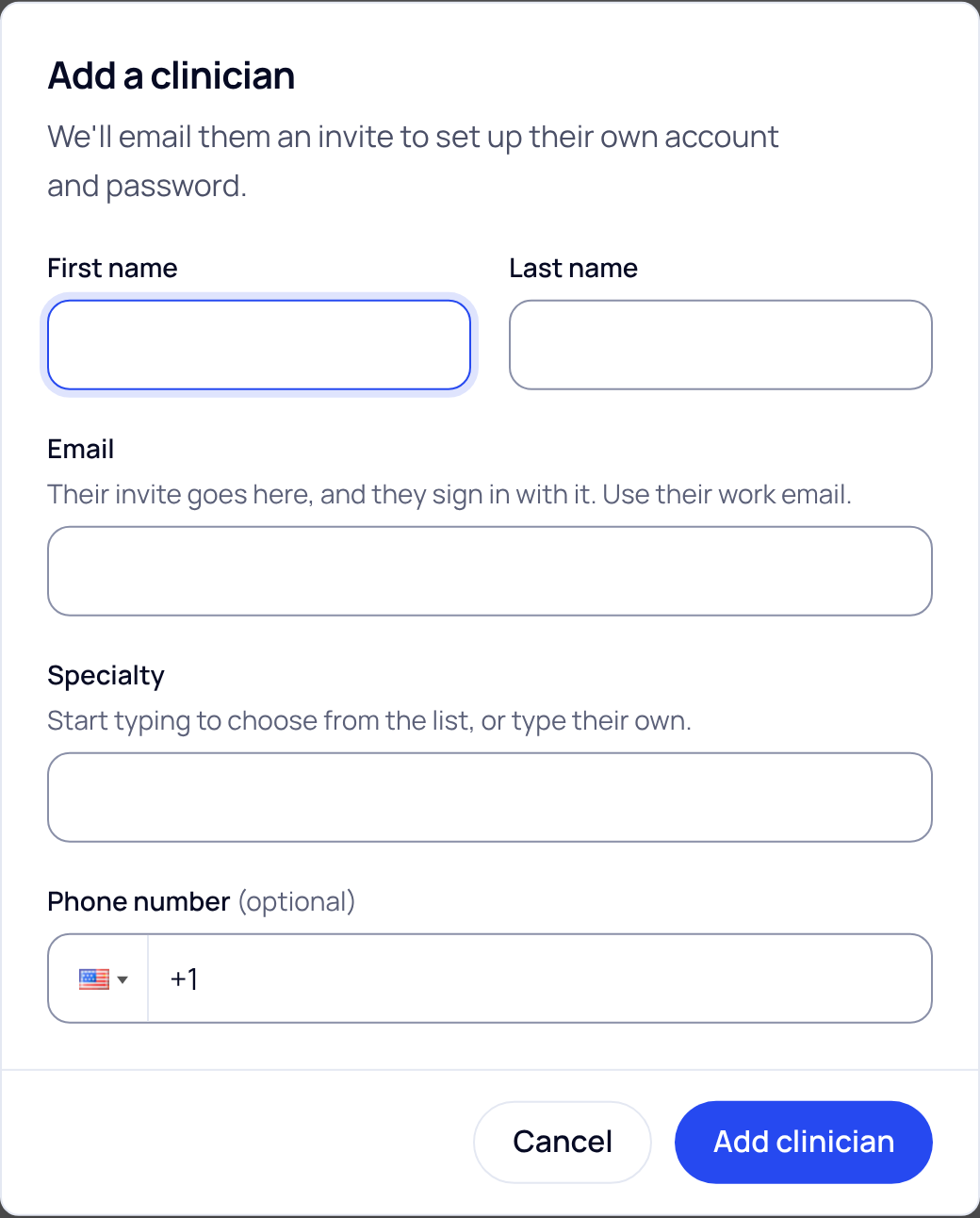
- Fill in their details. Type their first and last name, their work email and their specialty. The phone number is optional.
- Choose Add clinician at the bottom. You see the message Invite sent. The link in the email works for 7 days.
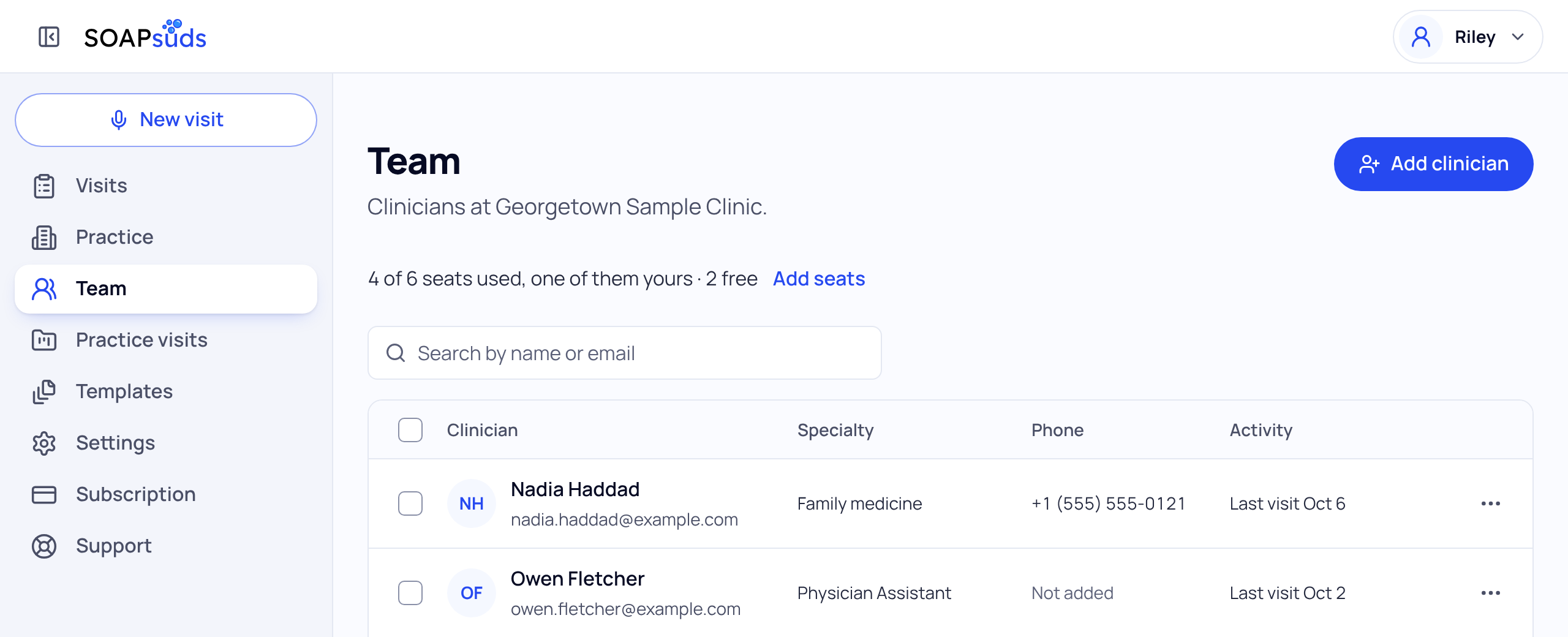
If your practice pays for seats, each clinician uses one seat. When every seat is in use, Team asks you to choose Add seats first.
Office staff. If your practice has referral capture, Team also has an Office staff section with Add office staff. Type their name and email and choose Add office staff. Office staff see referrals only, and they don't use a clinician seat.
What they receive
They get an email with a link. The link opens a page that says Join and your practice name, with their name and email already filled in. They choose a password. A clinician then picks their role, specialty and the name they sign notes with. Nobody gets a password by email.
The email address can't be changed on that page. If you typed the wrong email, cancel the invite and add them again with the right one.
See where the invite stands
Until they set up their account, their row on Team shows the invite instead of visits:
- Invite sent Oct 11: the link works, and they haven't started yet.
- Invite opened Oct 12: they started on the invite page. Just loading the page doesn't count.
- Invite expired: the 7 days are over. Choose Resend invite next to it.
Choose their name to see more, such as "Invite sent Oct 12, opened Oct 13. It works until Oct 19." Once they finish, it says when they joined.
Did this answer your question?
Still need help?
Email support@soapsuds.io or send us a message. Please don't include patient names or details; the visit date and time is enough for us to find it.

