
Start a visit
- Open New visit. It is the first page after you sign in, and the New visit button in the menu always brings you back.
- Type the patient's name. A first name or initials is enough. If the patient has been seen before, pick them from Your patients.
- Choose how you are capturing it. In person records the room with your microphone. Telehealth and Upload recording have their own articles.
- Press Start recording. Recording starts as soon as you press it. The first time, your browser asks to use the microphone: choose Allow.
The recording controls
A blue bar at the top of the screen shows the patient's name, the template, the status and a clock. Under the clock a short line counts down to 30 seconds ("22 more seconds for a note"), because a note needs at least 30 seconds of conversation.

- Pause stops recording. The clock dims and the bar says "Nothing is being recorded. Press Resume to carry on."
- Resume carries on in the same visit.
- End recording (just End on a phone) finishes the visit.
Beside the bar you can type in Your notes: anything you did not say out loud. SOAPsuds uses it when it writes the note. If the bar says "No sound", check your microphone is not muted.
What happens when you press End
SOAPsuds uploads the audio, saves the visit and starts writing the note. You go to Visits, where a line says "Writing the note for" the patient. The note opens when it is done, and you can keep working meanwhile. Every note is a draft for your review until you sign it.
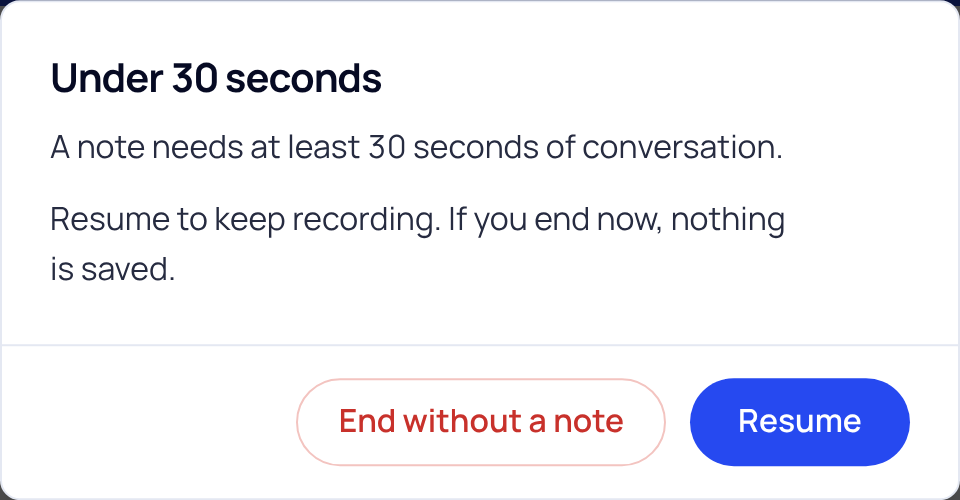
If you press End before 30 seconds, SOAPsuds asks first. Resume keeps recording; End without a note ends the visit and nothing is saved.
Leaving the page during a visit asks first ("Leave this visit?"). If you choose Leave page, the recording stops and a visit that is not already uploading is discarded.
Did this answer your question?
Still need help?
Email support@soapsuds.io or send us a message. Please don't include patient names or details; the visit date and time is enough for us to find it.

