
On New visit
- Patient name (required). First name or initials is enough. Picking someone from Your patients links the visit to their earlier visits; a new name adds a new patient.
- How are you capturing it? In person, Upload recording or Telehealth.
- Template Your default template. Change picks a different one for this visit only.
- Visit type and Pronoun for the patient (optional). Where your account has note defaults, New visit shows these, set from your defaults. A patient picked from Your patients starts as Established patient; a new name starts as New patient.
What they change in the note
| Detail | What it changes |
|---|---|
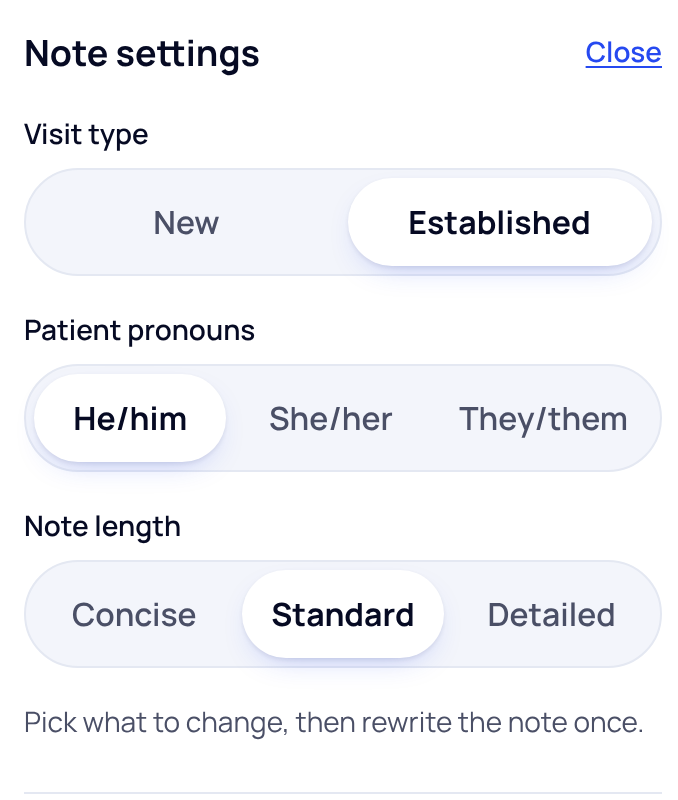
| Visit type | Whether the note is written for a new or an established patient. |
| Patient pronouns | He/him, She/her or They/them in the note's wording. |
| Note length | Concise, Standard or Detailed wording. |
| Template | The sections the note is written in. |
Change them after the visit
Open the visit. In Note settings beside the note, press Change. Pick what to change, then press Rewrite note once. Nothing changes until you press it.
Rewriting the note replaces edits you made by hand. Make these changes before you edit the note.
Did this answer your question?
Still need help?
Email support@soapsuds.io or send us a message. Please don't include patient names or details; the visit date and time is enough for us to find it.

