
Review the codes
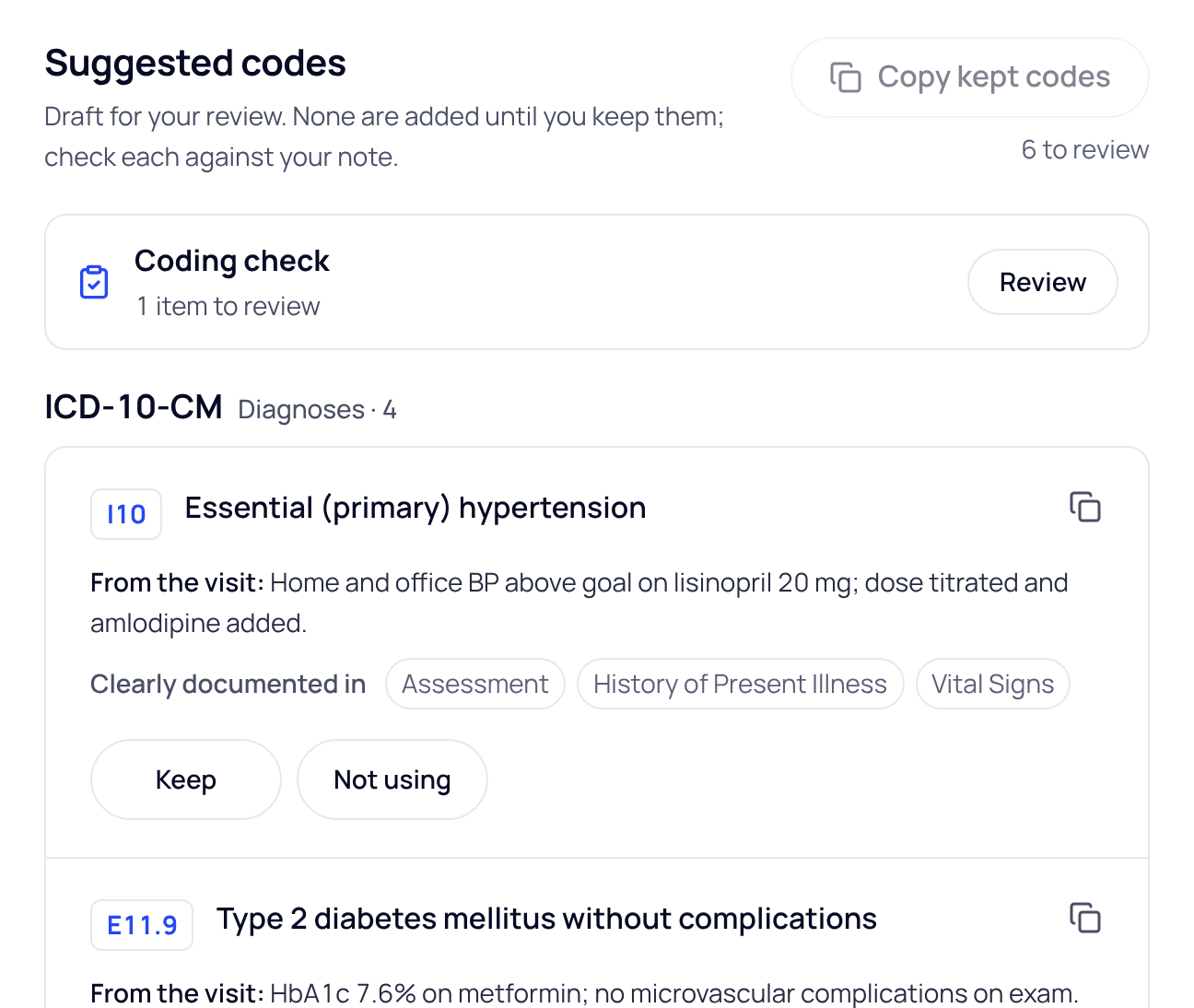
- Open the visit and choose Codes. Codes are grouped by code set: ICD-10-CM (diagnoses), CPT (procedures and services), and CDT for dental visits.
- Read each code. “From the visit” shows what the code is based on, and a line says where the note documents it, for example “Clearly documented in Assessment”.
- Press Keep or Not using. Every code starts undecided. Press the same button again to undo your choice.
- Press Copy kept codes. Only the codes you kept are copied. Each code also has its own copy button.
Your Keep and Not using choices aren’t saved when you leave the page. Copy the kept codes before you go.
What SOAPsuds doesn’t do
- It never adds a code to your note or your EHR for you.
- It doesn’t suggest a visit level (E/M). Choosing the visit level is your call.
- Check every code against your note. Don’t add details to the note just to support a code.
The Coding check
Above the codes, Coding check compares the suggested codes with what the note documents. It is not related to coding level or payment. Press Review to see its items, for example “Suggested code (not added): E11.9”, and answer each one with Useful, Already considered, Not applicable or Incorrect. Answering is optional.
Change the codes
On the Codes tab, press Fix the codes with Magic edit in the side panel and say what to change, such as “Use the right-knee code, not unspecified”. Press Update codes, then check the codes again.
For dental visits, each CDT code can list medical CPT codes for reference, marked “Same procedure”, “Close, check before using” or “Unlisted, needs a written description”. They are not copied with your kept codes.
Did this answer your question?
Still need help?
Email support@soapsuds.io or send us a message. Please don't include patient names or details; the visit date and time is enough for us to find it.

