
Copy the whole note
- Open the visit. Go to Visits and open the patient’s visit. The note opens on the Note tab.
- Read it through and fix anything. Every section is a text box you can type straight into. Changes save as you type.
- Press Copy full note. It’s the blue button above the note. It changes to Copied for a moment.
- Paste it into your EHR. Click into the note field in your EHR and paste with Ctrl + V, or ⌘ + V on a Mac.
The copy keeps each section heading, with a blank line between sections. Sections the visit didn’t cover are left out.
Copy one section
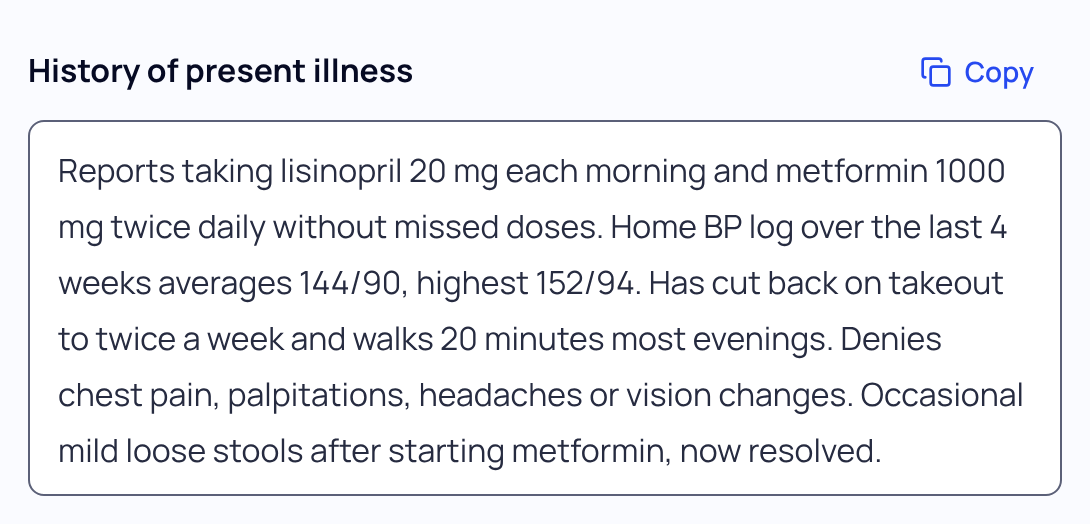
Some EHRs keep each part of the note in its own field. Point at a section with your mouse, or tap into it on a phone or tablet, and press its Copy button. Then paste it into the matching field.
What stays out of Copy full note
- Patient instructions and the visit summary. They sit under the note in Also from this visit. Use the Copy button on each.
- The confidential teen section. What a teen said when seen alone is left out of Copy full note and every export, because a pasted note can reach a parent through the patient portal. Copy it on its own only into a confidential part of your EHR.
Other ways to get the note out
Open Export beside Copy full note to download a PDF or Word file, print, or ask our team about sending notes to your EHR. See Export or print a note.
If your browser blocks copying, SOAPsuds says “Couldn’t copy the note”. Use Export to download the note instead, or select the text in each section and copy it.
Copy the note before it’s deleted. SOAPsuds deletes each visit, with its audio, transcript and note, 30 days after the visit time. The visit shows the date, for example “Kept until Nov 5”, and counts down in the last week.
Did this answer your question?
Still need help?
Email support@soapsuds.io or send us a message. Please don't include patient names or details; the visit date and time is enough for us to find it.

