
Referral capture is only for practices that have it turned on. Without it, you won’t see this card.
A possible referral topic
A possible referral topic shows above the note on the Note tab (at the top on a phone). It shows the quote from the visit and its transcript line, and how clearly it came up (“Clear mention” or “Passing mention”).
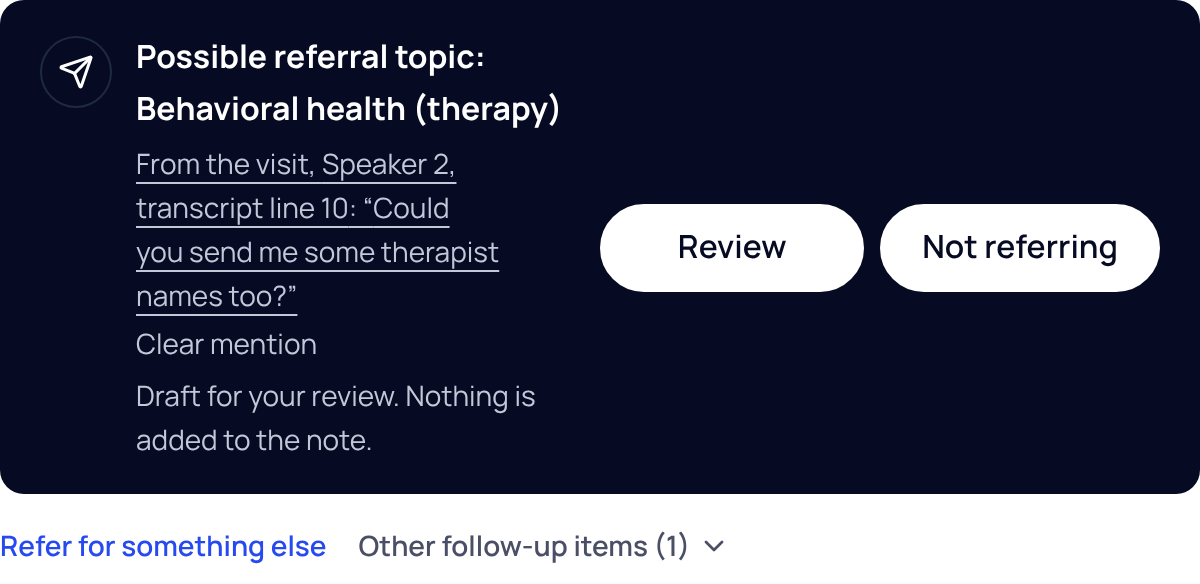
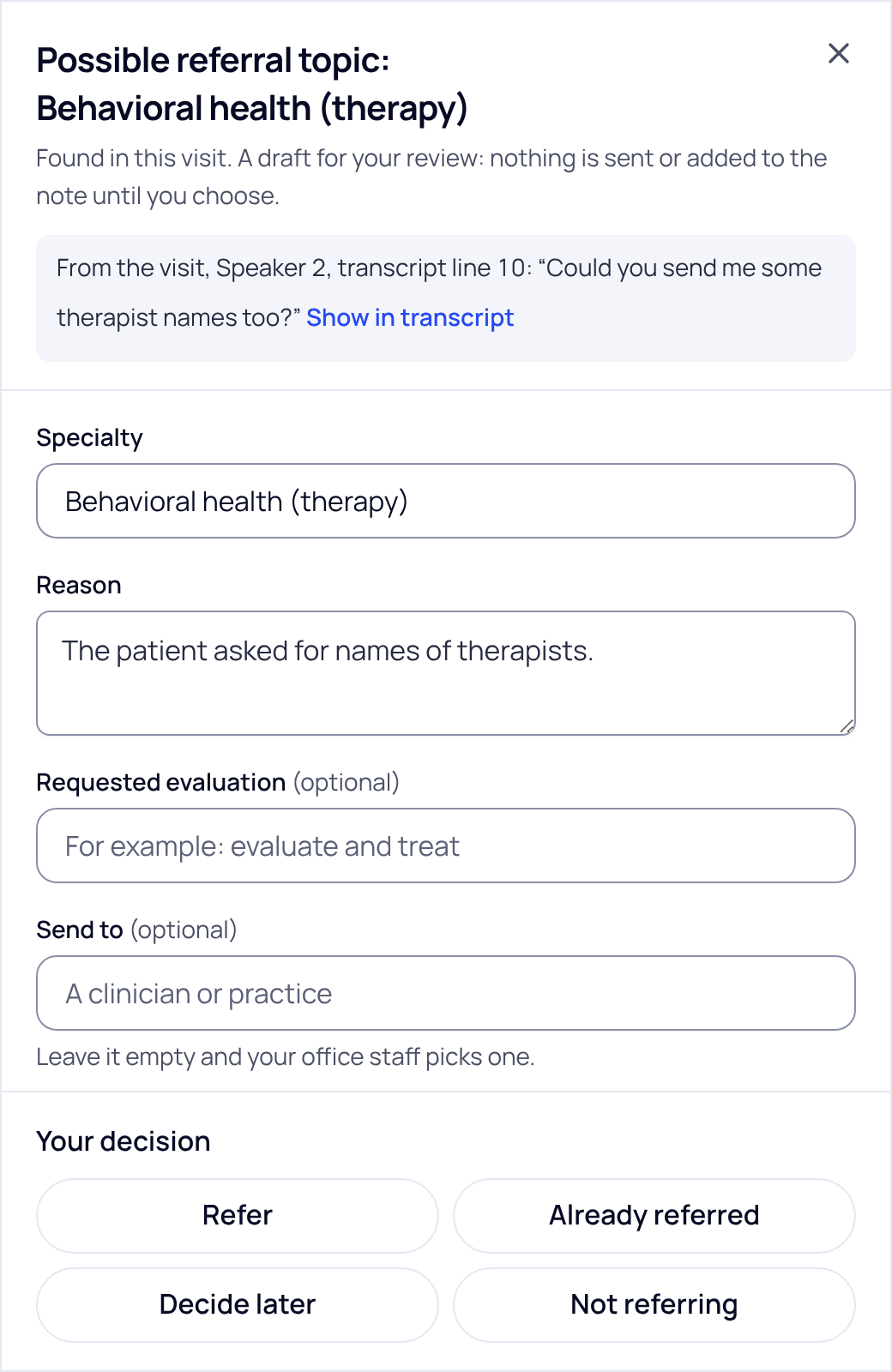
- Press Review. A sheet opens with the quote and Show in transcript. SOAPsuds fills in what was said; check every field.
- Check the details. Specialty, Reason, Requested evaluation, Send to, whether the patient agreed, and Urgency. Urgency is not set until you choose it.
- Make your decision. Refer, Already referred, Decide later (say what you’re waiting on) or Not referring (a reason is optional).
After you press Refer
- SOAPsuds creates the referral with these details and a draft letter. If your practice has office staff, it goes to them to send; otherwise it’s in Referrals, ready to send.
- The card becomes one line with where the referral stands, plus Open referral and Add a line to Plan. Add a line to Plan types a referral line into your Plan for you to edit; the note isn’t changed otherwise.
- The letter is titled “Draft referral (unsigned)” while it is a draft. Only you can change or approve it.
Other follow-up items
Medication changes, planned tests and follow-up timing are listed under Other follow-up items. Answer each with Useful, Already considered, Not applicable or Incorrect. They never create a letter.
For office managers
Office staff don’t see this card. A referral the clinician sends on shows in Referrals as To send. See Working the referral queue.
SOAPsuds never sets urgency, never sends a referral by itself and never adds anything to the note for you.
Did this answer your question?
Still need help?
Email support@soapsuds.io or send us a message. Please don't include patient names or details; the visit date and time is enough for us to find it.

