
Open the transcript
- Open the visit. From Visits, open the patient’s visit.
- Choose Transcript. It’s the tab next to Note. The lines are numbered and each one shows who spoke.
- Press Copy transcript if you need the text. It copies the whole transcript.
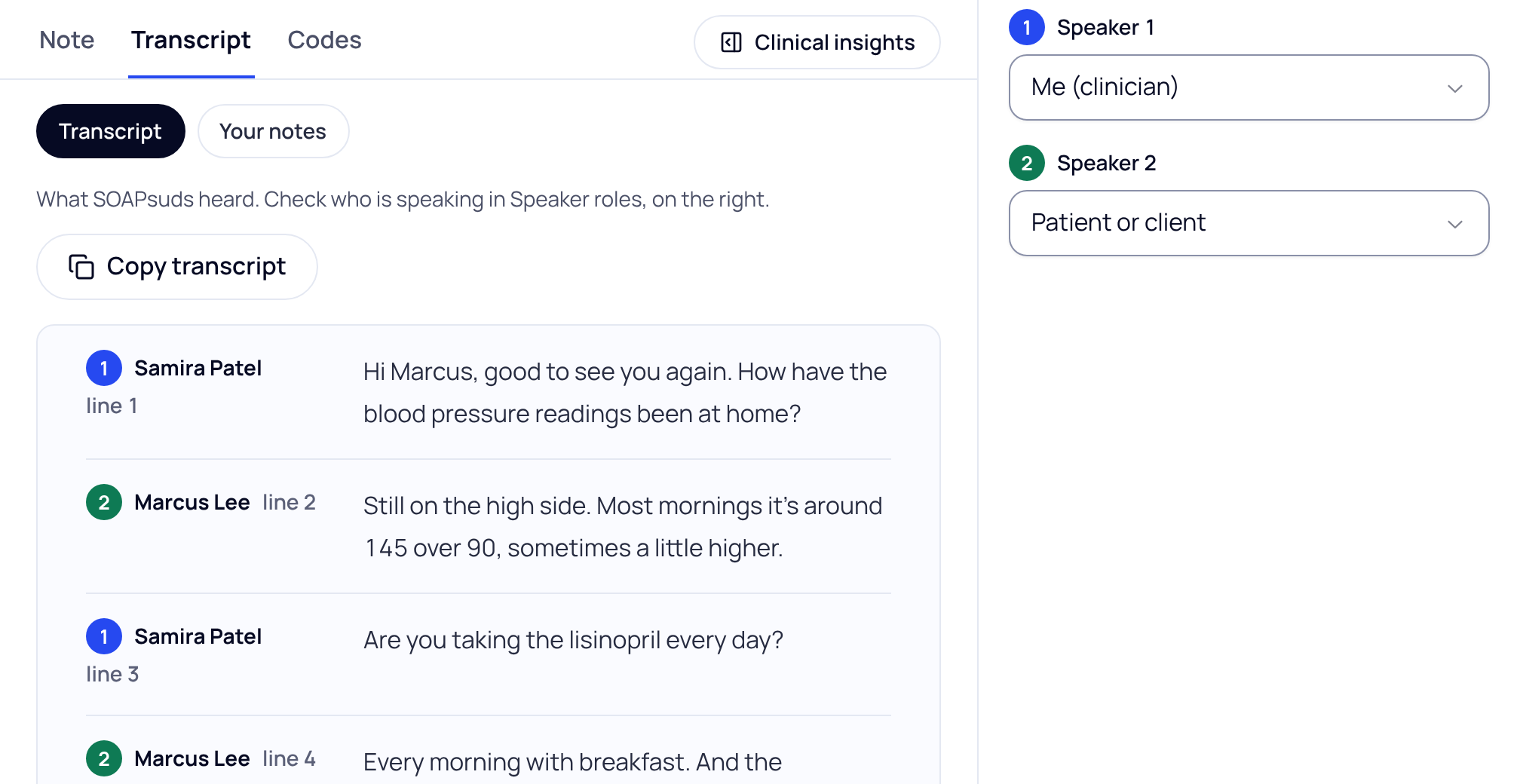
Who is speaking
SOAPsuds separates the voices but can’t tell who is who. Under Speaker roles, choose a role for each speaker. On a phone, tap Check who is speaking; the roles are after the transcript.
If your practice turned speaker labels off, the transcript isn’t split by speaker.
Your own notes
Press Your notes at the top of the tab to see the notes you typed during and after the visit.
How long it’s kept
SOAPsuds deletes each visit, with its audio, transcript and note, 30 days after the visit time. The visit shows the date, for example “Kept until Nov 5”.
Practice admins and office managers don’t see transcripts unless the practice turns that on.
Did this answer your question?
Still need help?
Email support@soapsuds.io or send us a message. Please don't include patient names or details; the visit date and time is enough for us to find it.

