
Open the panel
On a visit, press Clinical insights beside the tabs (on a phone it says Insights). It never opens by itself. Close it with the X.
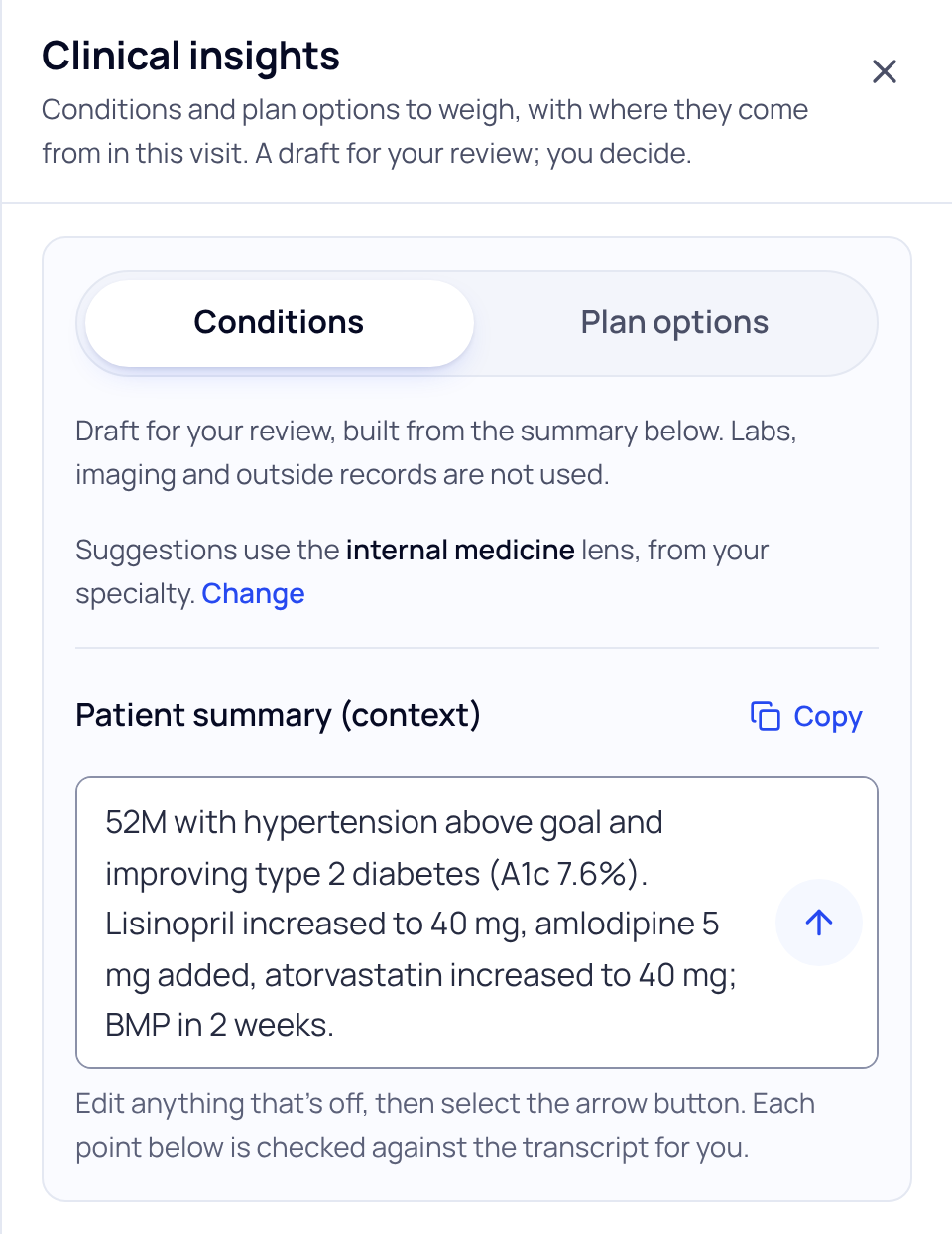
Draft suggestions
- Choose Conditions or Plan options.
- Check the lens. Suggestions use an internal medicine or emergency medicine lens, picked from your specialty. Press Change to switch. If your specialty doesn’t fit either, SOAPsuds asks which is closer to this visit.
- Check the patient summary. It is context for the request. Edit anything that’s off. Labs, imaging and outside records are not used.
- Press the arrow button. Each point that comes back is checked against the transcript for you.
What each item shows
- Groups such as Conditions to consider, Serious conditions to rule out, and Workup options to consider.
- Not ranked. Items are listed by how many points from this visit match, shown as “In the transcript: 3 of 3 points for”. If fewer than three conditions fit, the panel says so.
- From this visit: points for / points against, each with the speaker, the transcript line and the quote, and Show in transcript. “Not found in the transcript” means check it yourself.
- “This line may be a denial. Check it.” marks a quote where the patient may have said no.
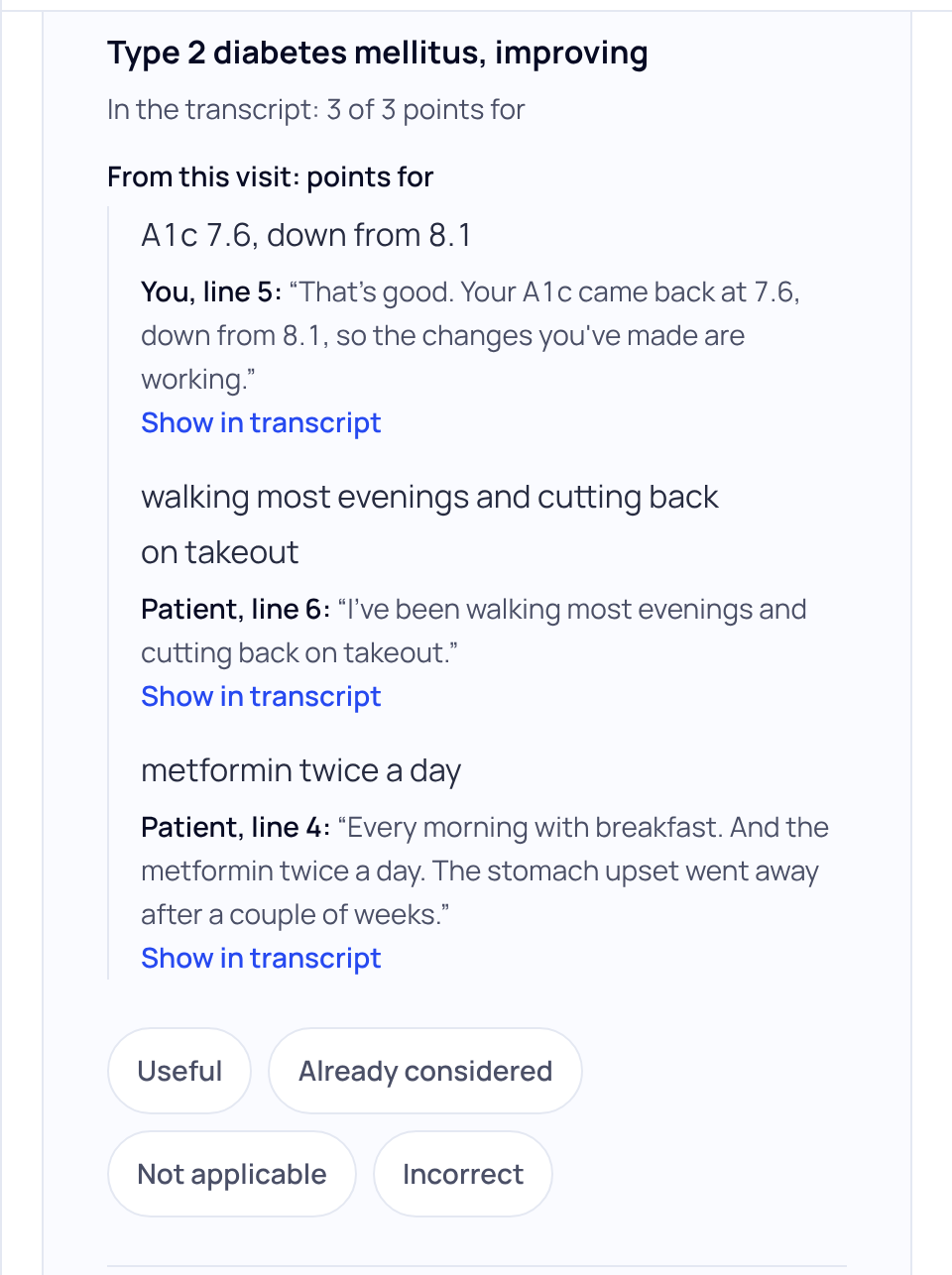
Your call on each item
Press Useful, Already considered, Not applicable or Incorrect. One tap, no reason needed; press it again to clear it. Nothing from the panel goes into your note unless you type it in. Copy all copies the list, marked as a draft for your review.
Clinical insights doesn’t diagnose, rank or set urgency. It lists options to weigh alongside your own judgment, from the words of this visit only.
Some practices don’t have Clinical insights. Practice admins and office managers see it only if the practice turns that on.
Did this answer your question?
Still need help?
Email support@soapsuds.io or send us a message. Please don't include patient names or details; the visit date and time is enough for us to find it.

