
Referrals are only available if your practice has referral capture turned on.
The steps
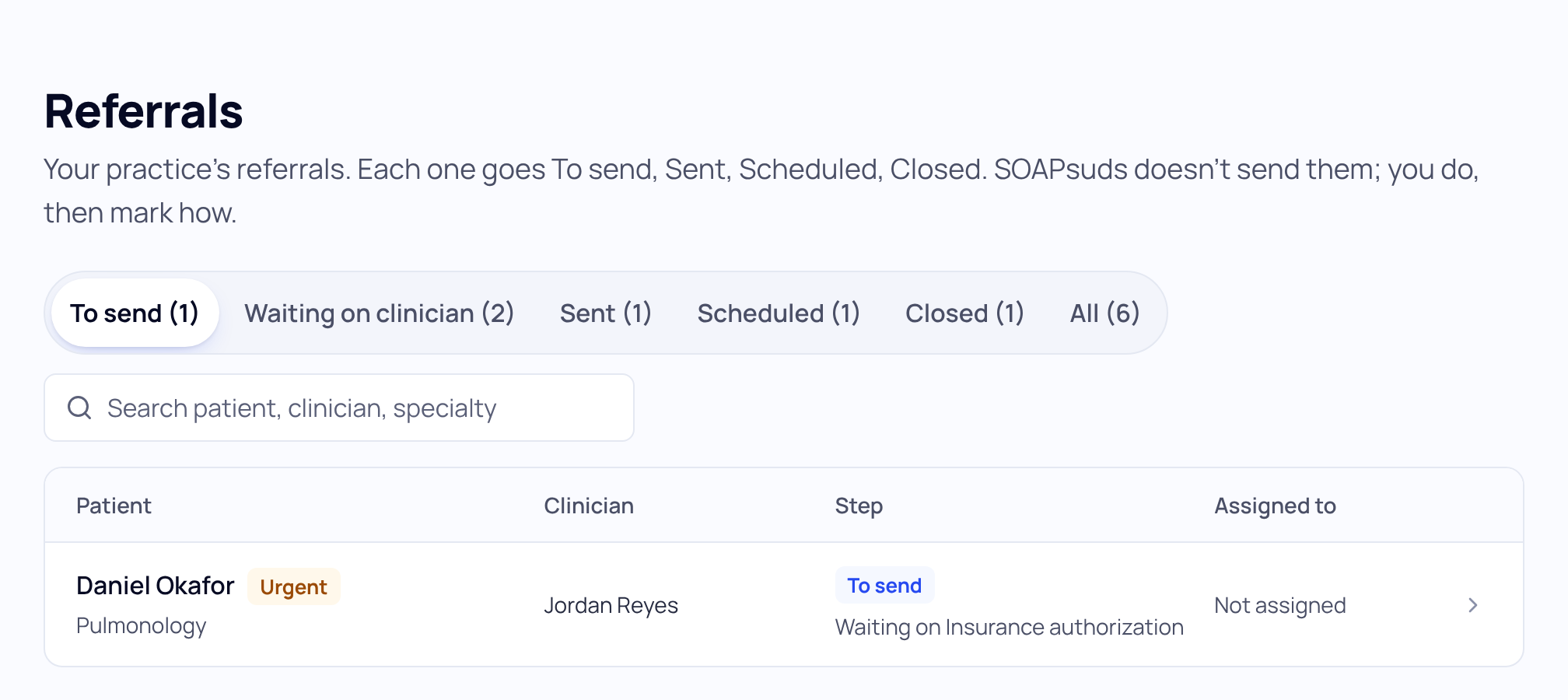
Each referral moves To send, Sent, Scheduled, Closed. Only a button press moves it. Opening a referral never changes its step.
Waiting on clinician holds drafts the clinician hasn't approved yet. You can read them, but they reach To send only after the clinician presses Refer.
Send a referral
- Open Referrals. Choose To send at the top.
- Open the referral. Read the Referral letter (unsigned) and the details: specialty, where to send it, and the urgency the clinician set.
- Take it on. Under Assigned to, pick yourself. Use Waiting on (optional) for a hold-up, such as an insurance authorization.
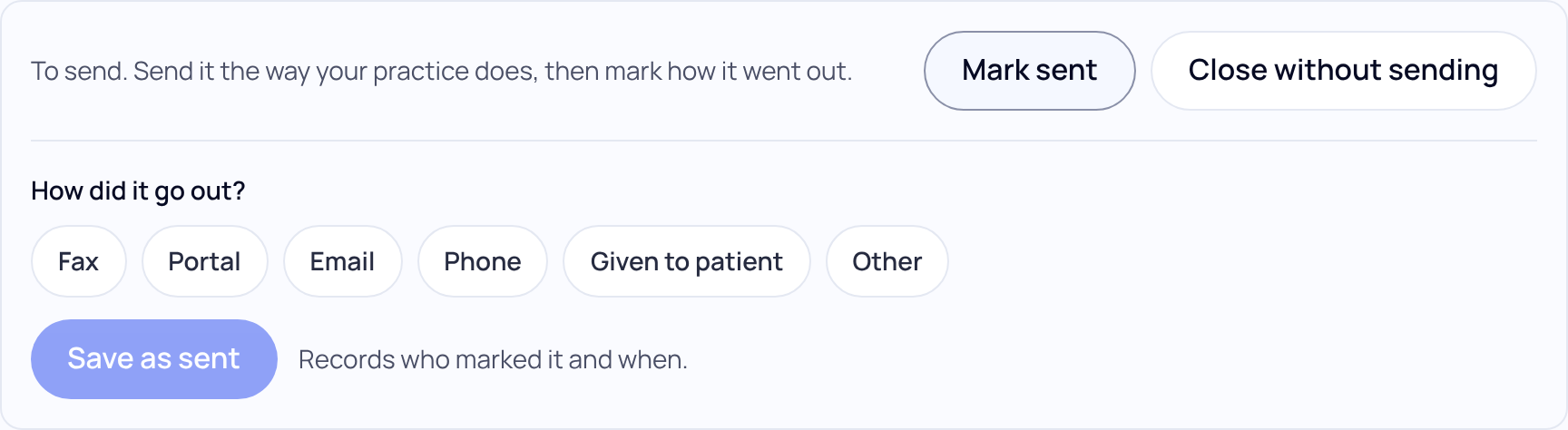
- Send it. Fax, portal, email or phone, the way your practice does.
- Choose Mark sent. Under How did it go out? pick Fax, Portal, Email, Phone, Given to patient or Other, then choose Save as sent. It records who marked it and when.
After it's sent
- When the appointment is booked, choose Mark scheduled, add the Appointment date (optional), and choose Save as scheduled.
- Choose Close when you're done with it. A referral that won't go out can be closed with Close without sending.
- Pressed the wrong button? Choose Undo last step.
Only the clinician sets urgency. SOAPsuds never sets it.
Did this answer your question?
Still need help?
Email support@soapsuds.io or send us a message. Please don't include patient names or details; the visit date and time is enough for us to find it.

