
Open the sample note
- Go to New visit. This is your home page in SOAPsuds. Choose New visit in the menu if you're somewhere else.
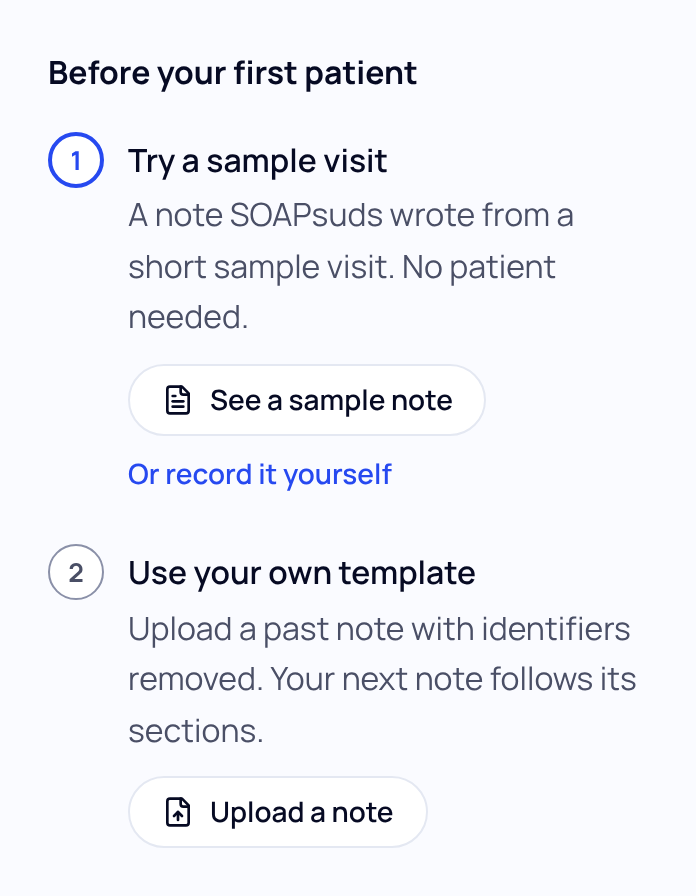
- Find Before your first patient. Under Try a sample visit, choose See a sample note.
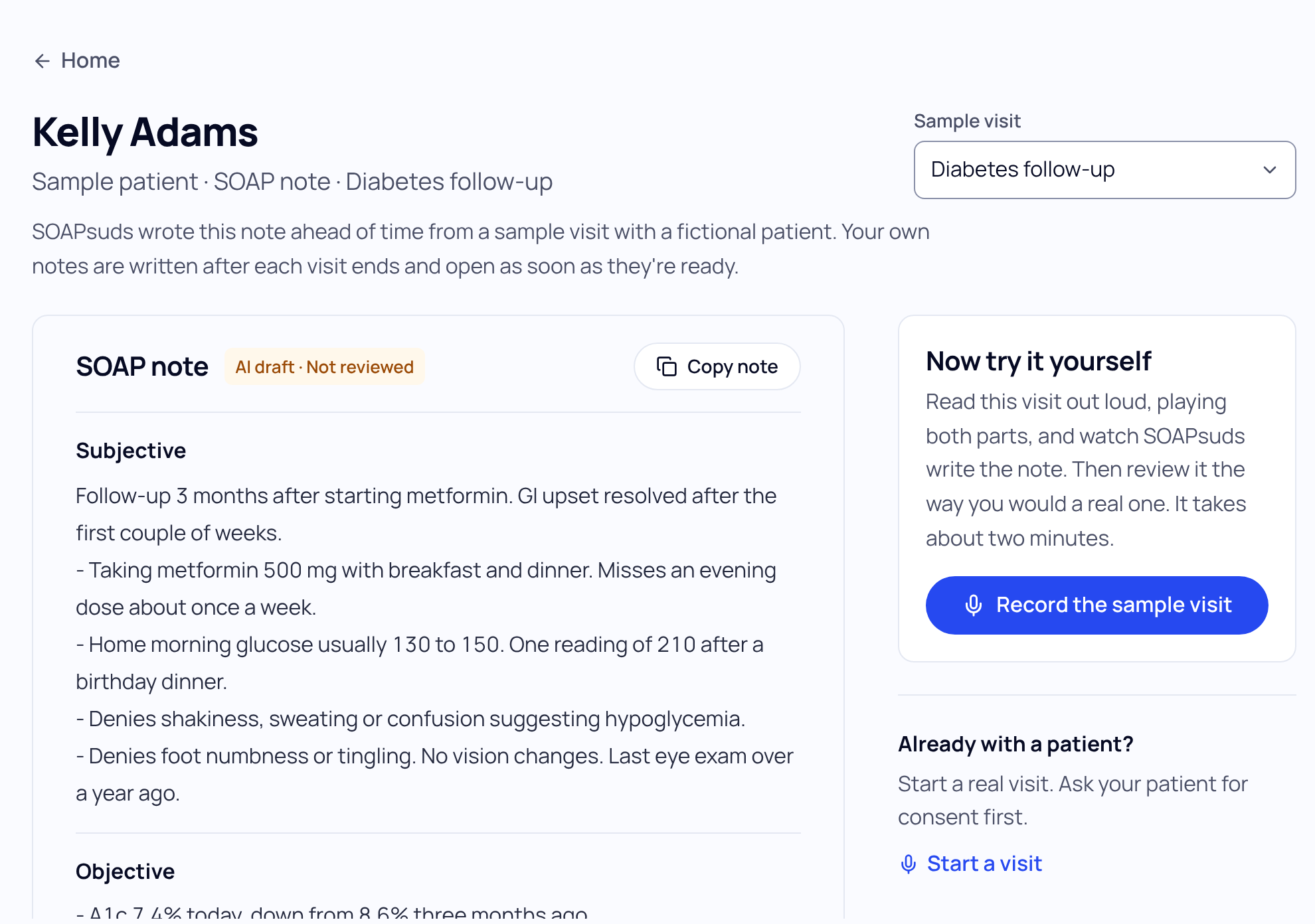
- Pick a sample visit. Use the Sample visit list at the top to see a different kind of visit.
What it shows you
- A full note for a fictional sample patient.
- The visit it was written from, under The visit it was written from (choose Show).
- Copy note, so you can try pasting it into your EHR's test area.
Want to see SOAPsuds write a note live? Choose Record the sample visit. You read the visit out loud, playing both parts, and SOAPsuds writes the note. It takes about two minutes.
The sample note and the recorded sample visit don't count toward your notes.
Get back to it later
Once you've tried it, the guide says Open it again and Record it again. After you start real visits, New visit keeps a Sample visit section with See a sample note and Record the sample visit, handy for showing a colleague.
Did this answer your question?
Still need help?
Email support@soapsuds.io or send us a message. Please don't include patient names or details; the visit date and time is enough for us to find it.

