
Sign up
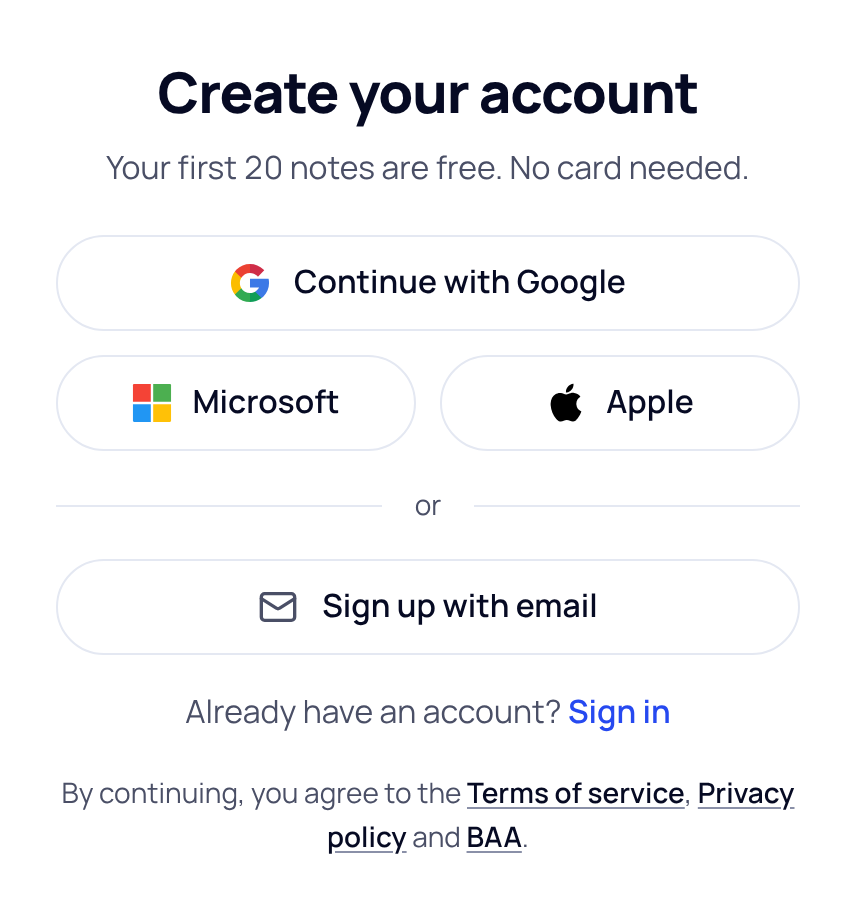
- Open the sign-up page. The page is called Create your account. If you already have an account, choose Sign in instead.
- Pick how you sign up. Choose Continue with Google, Microsoft or Apple to use an account you already have. Or choose Sign up with email.
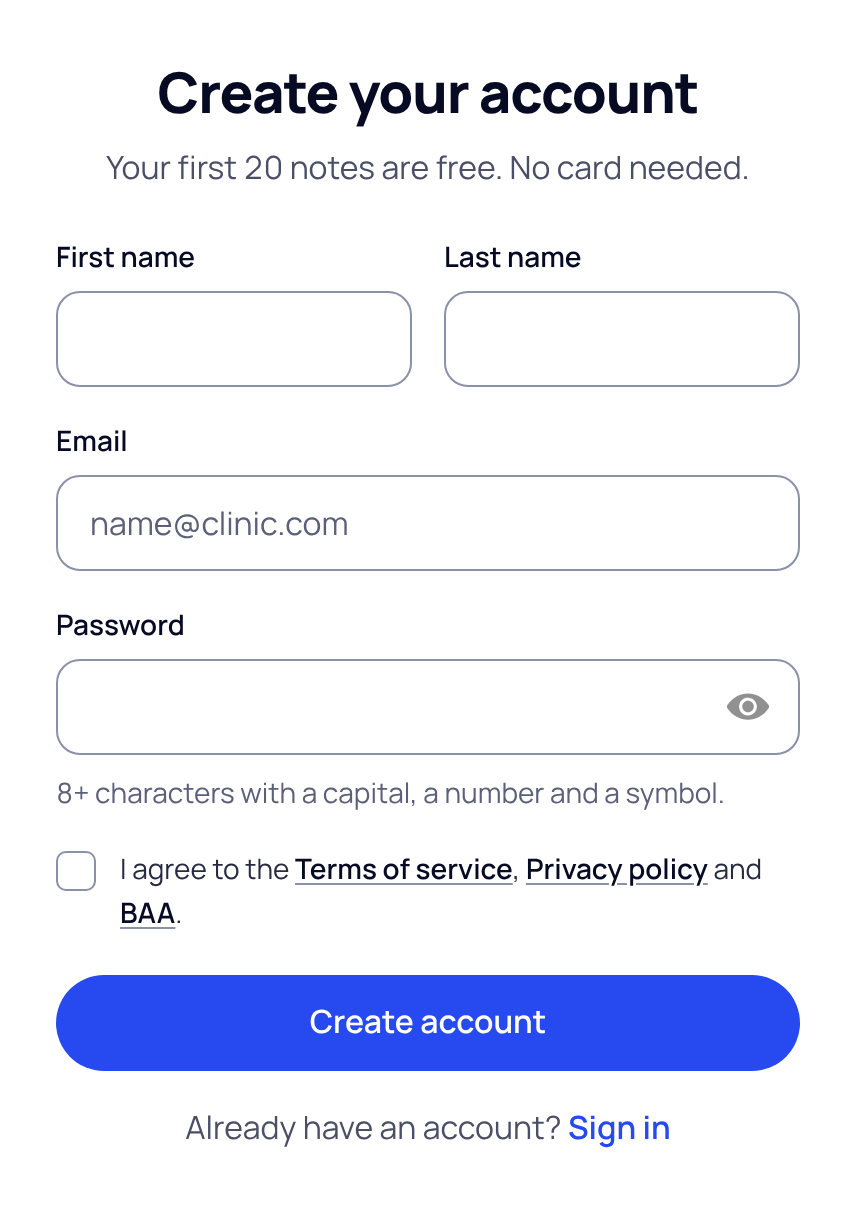
- With email, fill in the form. Type your first name, last name, email and a password. The password needs 8 or more characters, with a capital letter, a number and a symbol. Tick the box to agree to the Terms of service, Privacy policy and BAA, then choose Create account.
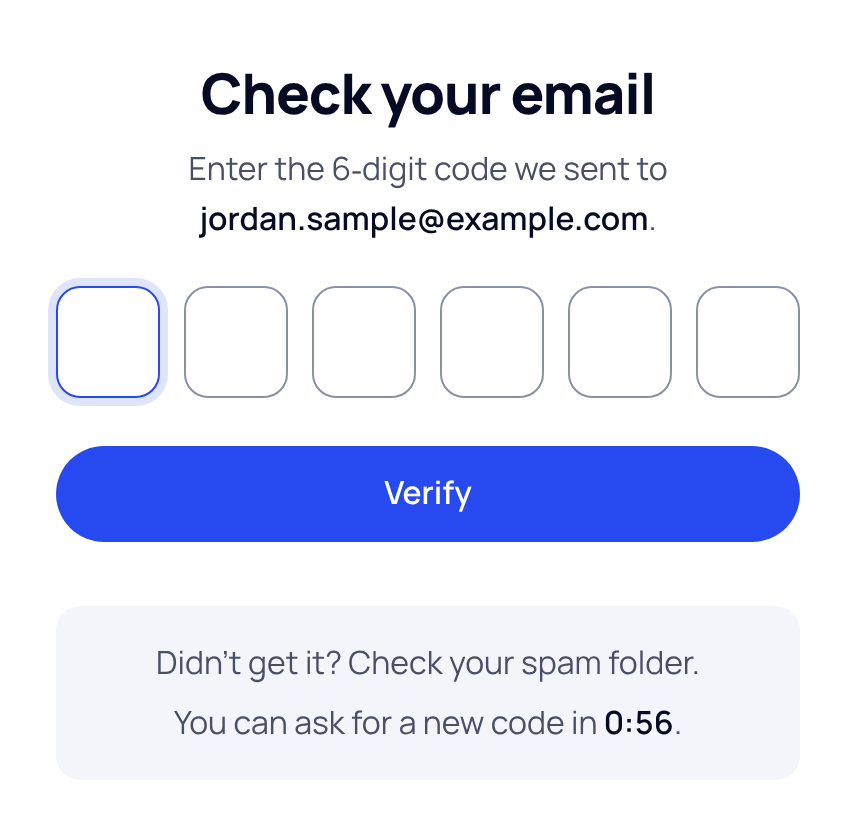
- Enter your code. We email you a 6-digit code. Type it on the Check your email screen and choose Verify.
If the code doesn't come
Check your spam folder first. After a short wait, Send a new code appears under the boxes. If the code has expired, the screen tells you, and you can send a new one.
If the screen says an account with this email already exists, choose Sign in, or reset your password.
What happens next
Next, SOAPsuds asks two short questions: your role and specialty, then the name you sign notes with. Then you land on New visit, ready to try a sample visit or record your first patient.
Your free trial includes 20 notes. You don't need a card to start. See How the free trial works.
Did this answer your question?
Still need help?
Email support@soapsuds.io or send us a message. Please don't include patient names or details; the visit date and time is enough for us to find it.

