
For clinicians
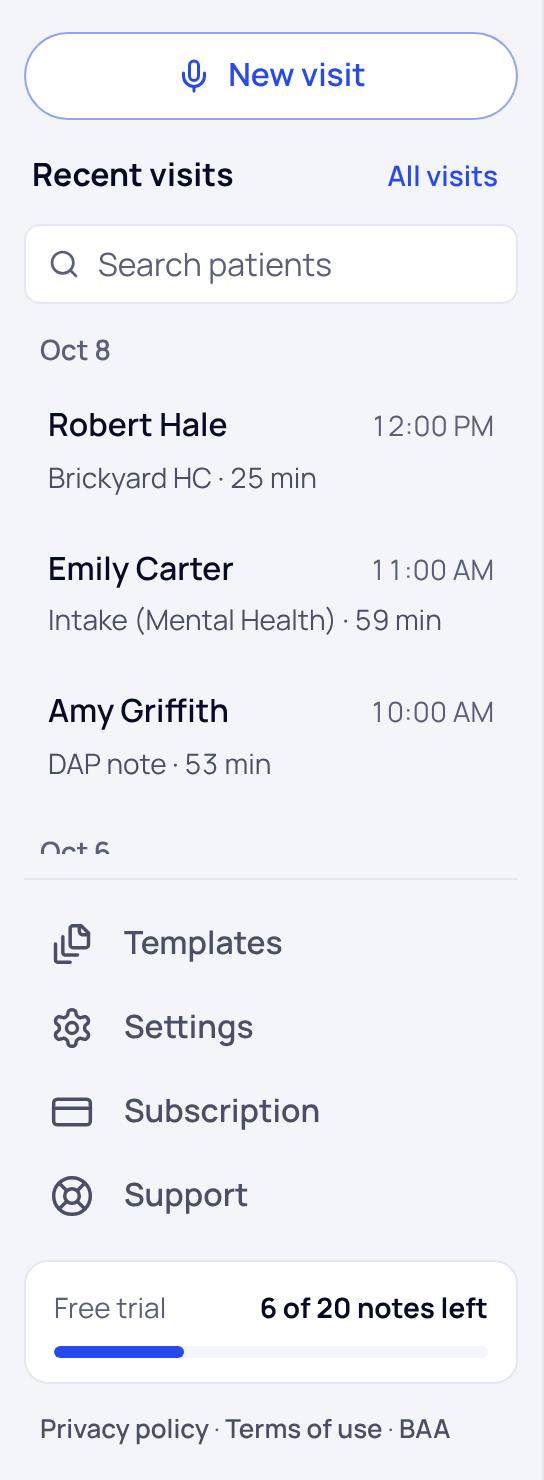
- New visit is your home page. Start a visit here. New accounts also see the sample visit guide.
- Recent visits lists your latest visits in the menu. All visits opens Visits, every visit you've recorded, by patient, with search and Filters.
- Templates holds the templates your notes are written in, and your default.
- Settings has three tabs: Note preferences (called Notes on a phone), Account for your profile, password, specialty, signature name and the BAA, and Activity, a log of who opened your visits.
- Subscription shows your plan, and the notes you have left.
- Support has quick answers and a way to contact us.
For practice admins
Your menu reads Home, Team, Practice visits, Referrals and Templates, then Settings, Subscription and Support. Home shows what needs you, your team and your practice's plan and paperwork. Settings›Practice shows seats, plan and the BAA. If you also record visits, you start on New visit and have Practice after Visits.
For office managers
You start on Referrals, where you send the referral letters your clinicians approve. You don't see note text unless your practice turns that on.
On a phone
Tap the three-line button at the top left to open the menu. New visit stays at the top of the screen.
Did this answer your question?
Still need help?
Email support@soapsuds.io or send us a message. Please don't include patient names or details; the visit date and time is enough for us to find it.

