

Who accepts it
The Business Associate Agreement (BAA) is your practice's HIPAA contract with SOAPsuds. The practice admin accepts it for the whole practice, by ticking the box when buying the practice plan, when joining from an invite, or on the screen that asks after sign-in. Clinicians and office staff your practice adds never accept one themselves.
If SOAPsuds set up your practice, your BAA is in your contract with us and nobody accepts it in the app. The app says Your practice's BAA is in its contract with SOAPsuds.
Where to find it
- Open Settings›Practice.
- Find Business Associate Agreement. It says who accepted it, on what date, and which version.
- Choose Read version 2026-03 (or the version shown) to read the exact text that was accepted.
- Choose BAA record to see the full record.
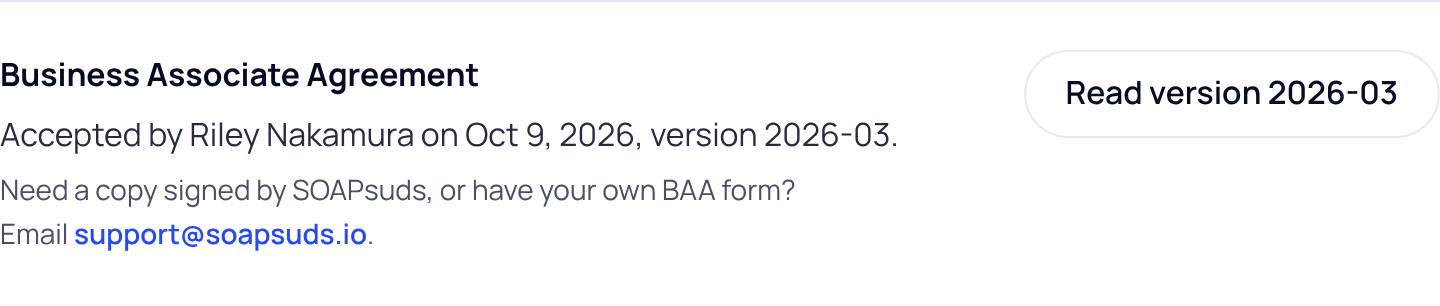
Home shows the same line under Paperwork.
The BAA record
The record lists each acceptance, newest first: who accepted it, for which practice, the version, the date and time, how it was accepted, the IP address and the browser. Choose Print or save as PDF to keep a copy. Each acceptance is kept for at least 6 years and can't be changed or deleted in SOAPsuds.
A signed copy or your own form
Need a copy signed by SOAPsuds, or have your own BAA form? Email support@soapsuds.io. When a new BAA version comes out, the practice admin is asked to accept it after sign-in. Clinicians can keep working meanwhile.
Did this answer your question?
Still need help?
Email support@soapsuds.io or send us a message. Please don't include patient names or details; the visit date and time is enough for us to find it.

