
How speakers are labelled
During the visit, the live transcript numbers each voice it hears: Speaker 1, Speaker 2. The numbers only tell voices apart. SOAPsuds does not know which voice is yours or the patient's, and it does not use voice recognition.
Set or fix a speaker's role
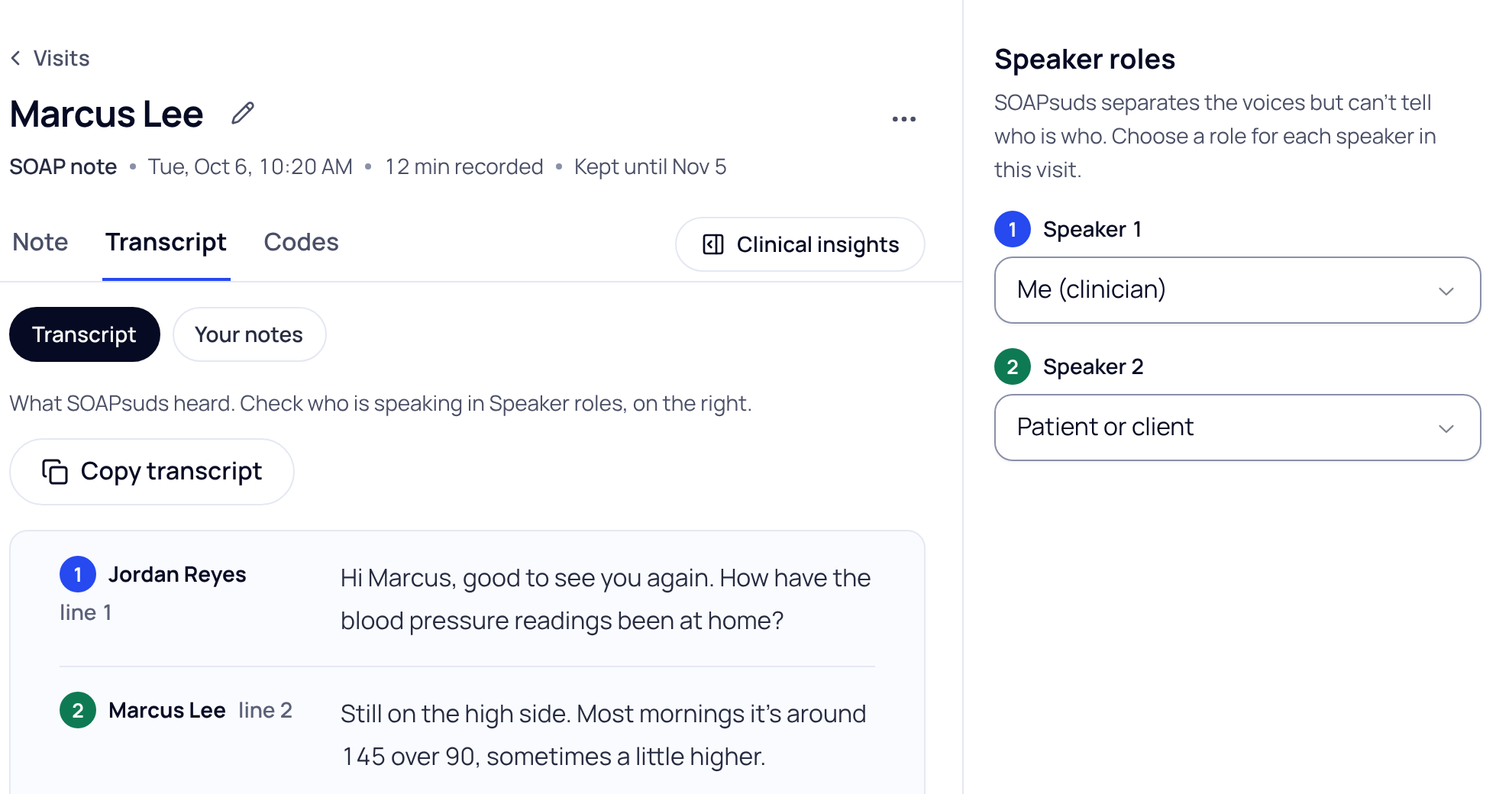
- Open the visit and choose Transcript. The Speaker roles panel is on the right (under the transcript on smaller screens).
- Choose a role for each speaker. The choices are Me (clinician), Another clinician, Clinical staff (nurse, MA), Patient or client, Family member or caregiver, and Other.
- Check the transcript. A message confirms, for example "Speaker 2 is now patient or client." The transcript then names each line by that role, for example your name for Me (clinician) and the patient's name for Patient or client.
If you choose Clinical staff, a Who it was list opens so you can name the nurse or MA.
What you cannot fix here
- Roles apply to a whole speaker, not to single lines. If two people were heard as one speaker, the transcript cannot split them.
- If the live transcript dropped out and came back, speaker numbers after the gap may not match those before it.
If your practice has speaker labels off
The transcript is not split by speaker. The live transcript shows plain paragraphs, and on the visit the panel says "Speaker labels are off for your practice". Quoted lines name the transcript line, not a speaker.
Did this answer your question?
Still need help?
Email support@soapsuds.io or send us a message. Please don't include patient names or details; the visit date and time is enough for us to find it.

