

Before you start
- Copy or download any note you still need. Once your account is gone you can’t sign in to get it.
- If you pay for a plan, check Subscription first. See Upgrade, downgrade or cancel.
Delete your account
- Open your account. Go to Settings›Account and scroll to Delete account.
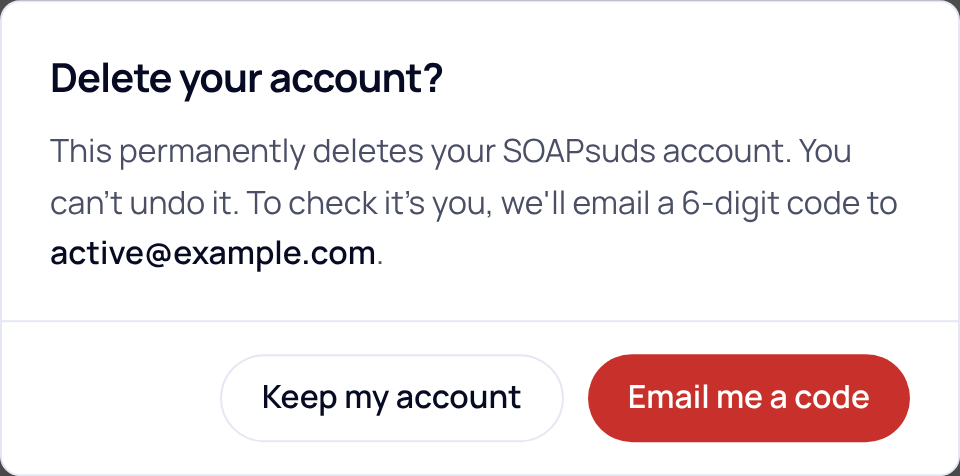
- Press Delete account. A box asks Delete your account?. Press Email me a code. (Press Keep my account to stop.)
- Enter the code. We email a 6-digit code to your sign-in email. It works for 3 minutes. Didn’t get it? Check your spam folder, or choose send a new code.
- Press Delete account. Your account is deleted and you’re signed out. You can’t undo this.

What happens to your data
- Visits (audio, transcript and note) are deleted 30 days after each visit, as always. To remove a visit now, open it, choose the … menu, then Delete visit.
- The record of your BAA acceptance and the activity log are kept at least 6 years, as HIPAA records. They can’t be changed in SOAPsuds.
If you’re part of a practice
- Office staff: your practice admin manages your account. Ask them to remove you from Team.
- Practice admin: deleting your account would leave no one to manage clinicians, seats and billing. To hand the practice to someone else first, email support@soapsuds.io.
Did this answer your question?
Still need help?
Email support@soapsuds.io or send us a message. Please don't include patient names or details; the visit date and time is enough for us to find it.

